
You can create a discount code that automatically gives free delivery for your customers.
-
Go to Products > Discounts and click
Create Discount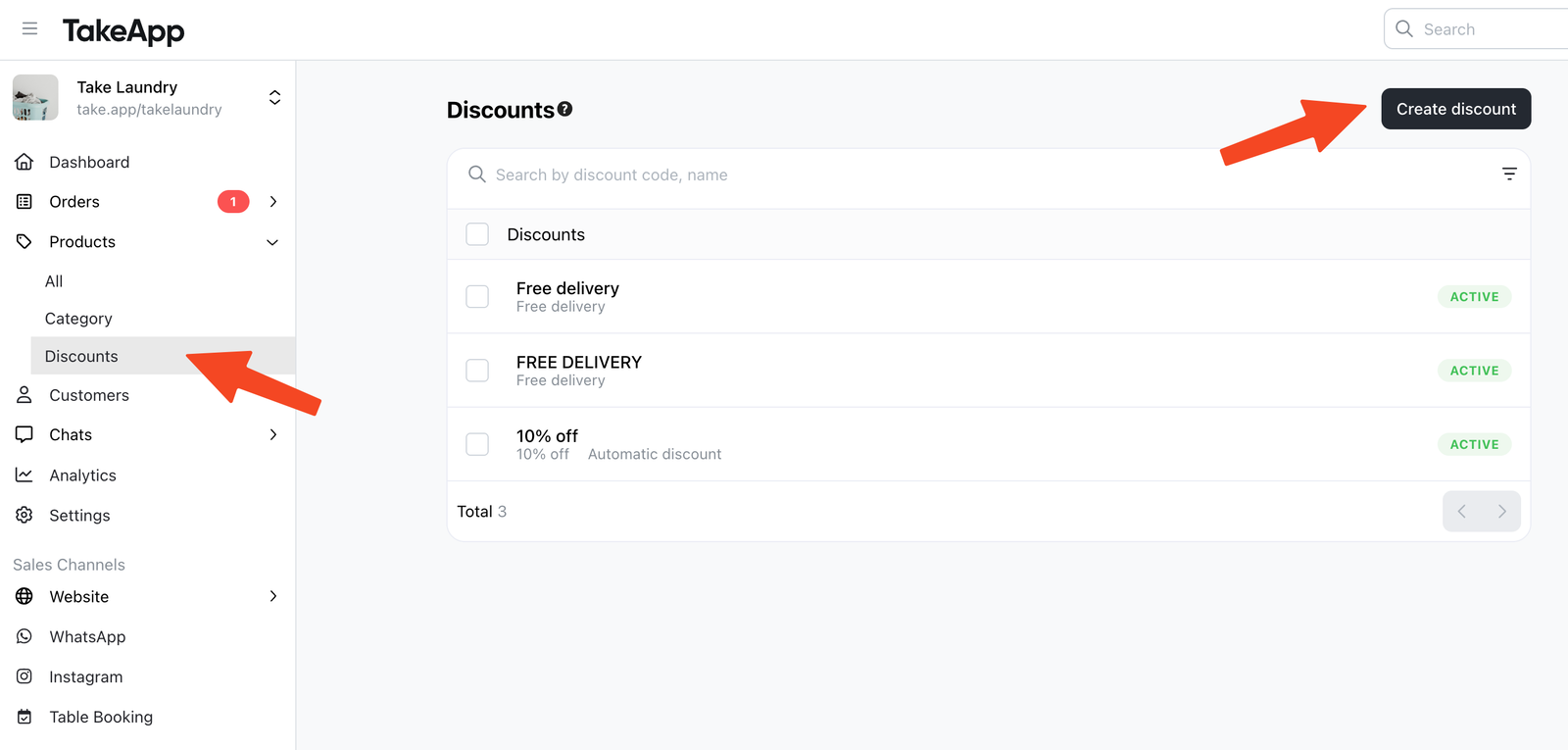
-
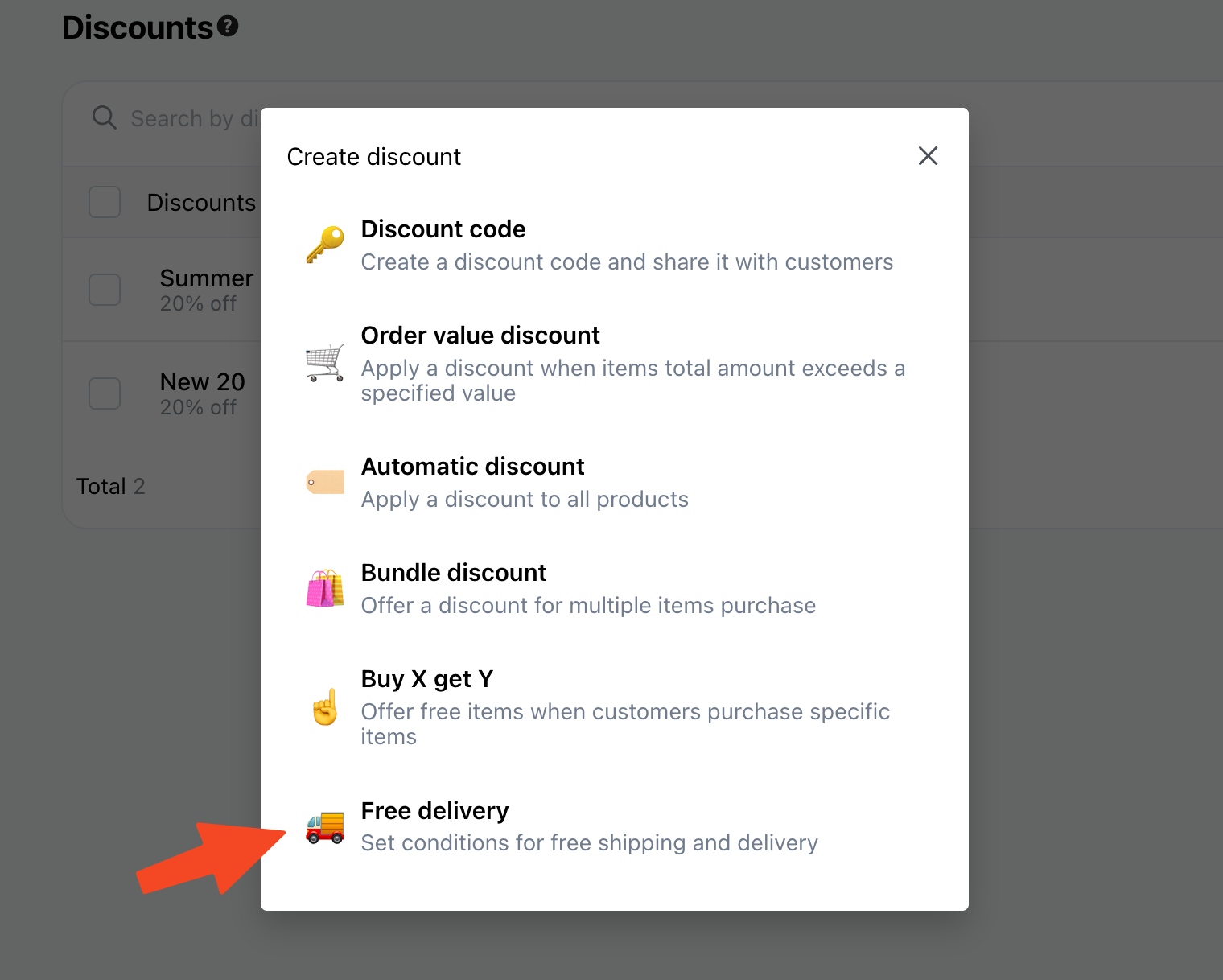
Choose "Free delivery"
-
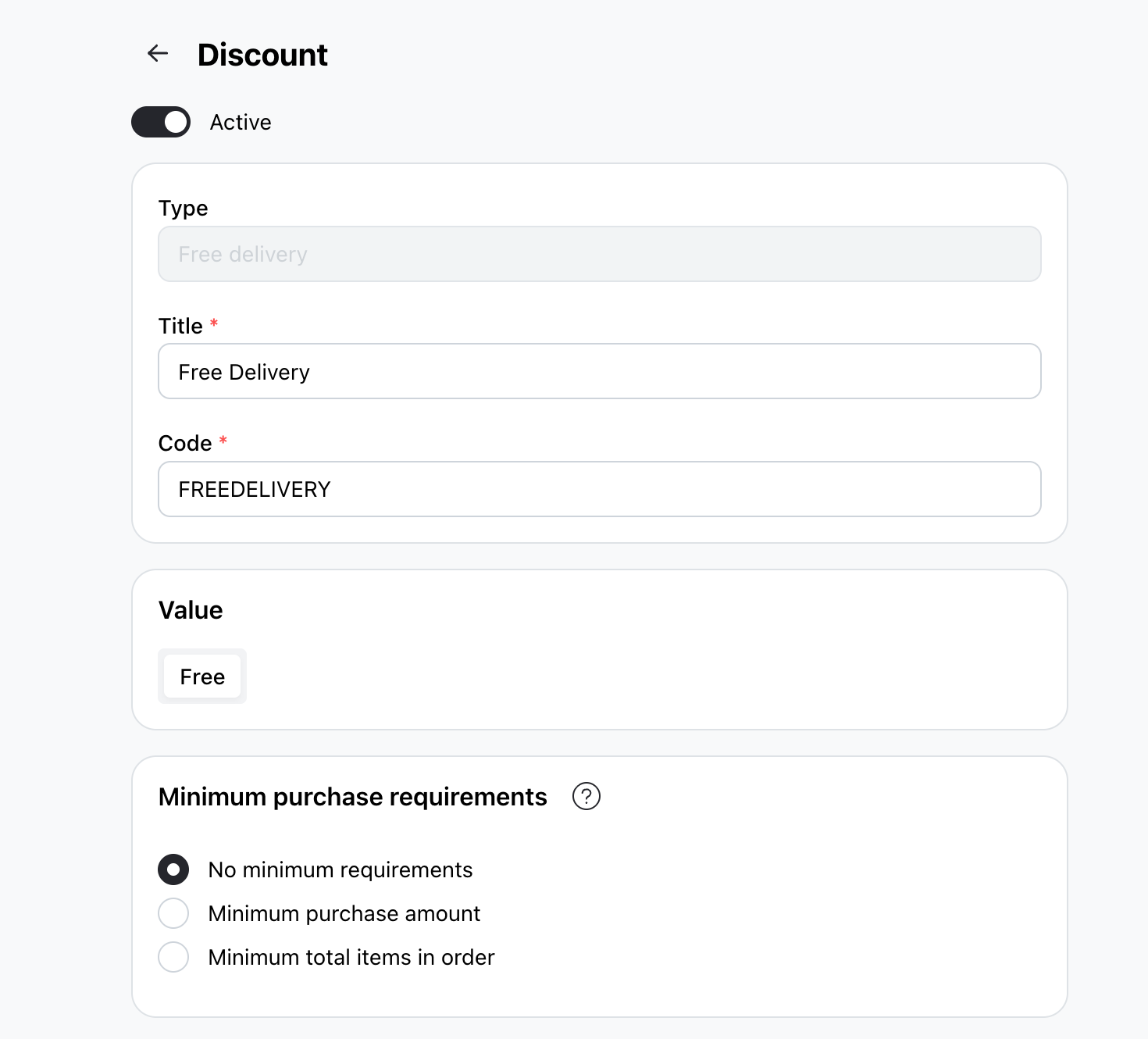
Set your discount code parameters:
-
Discount code: The code that will be shared to your buyer
-
Minimum purchase requirement: Not applicable / minimum purchase amount / minimum quantity of items
-
Maximum discount usage: Not applicable / total usage / usage per customer
-
Active dates: the starting and end date (if applicable)
-
-
Click "Save".
Once created, share your discount code with your customers and track its usage from the Discounts section.