
You can track and manage products inventory by enabling Track inventory function.
How to manage products inventory
-
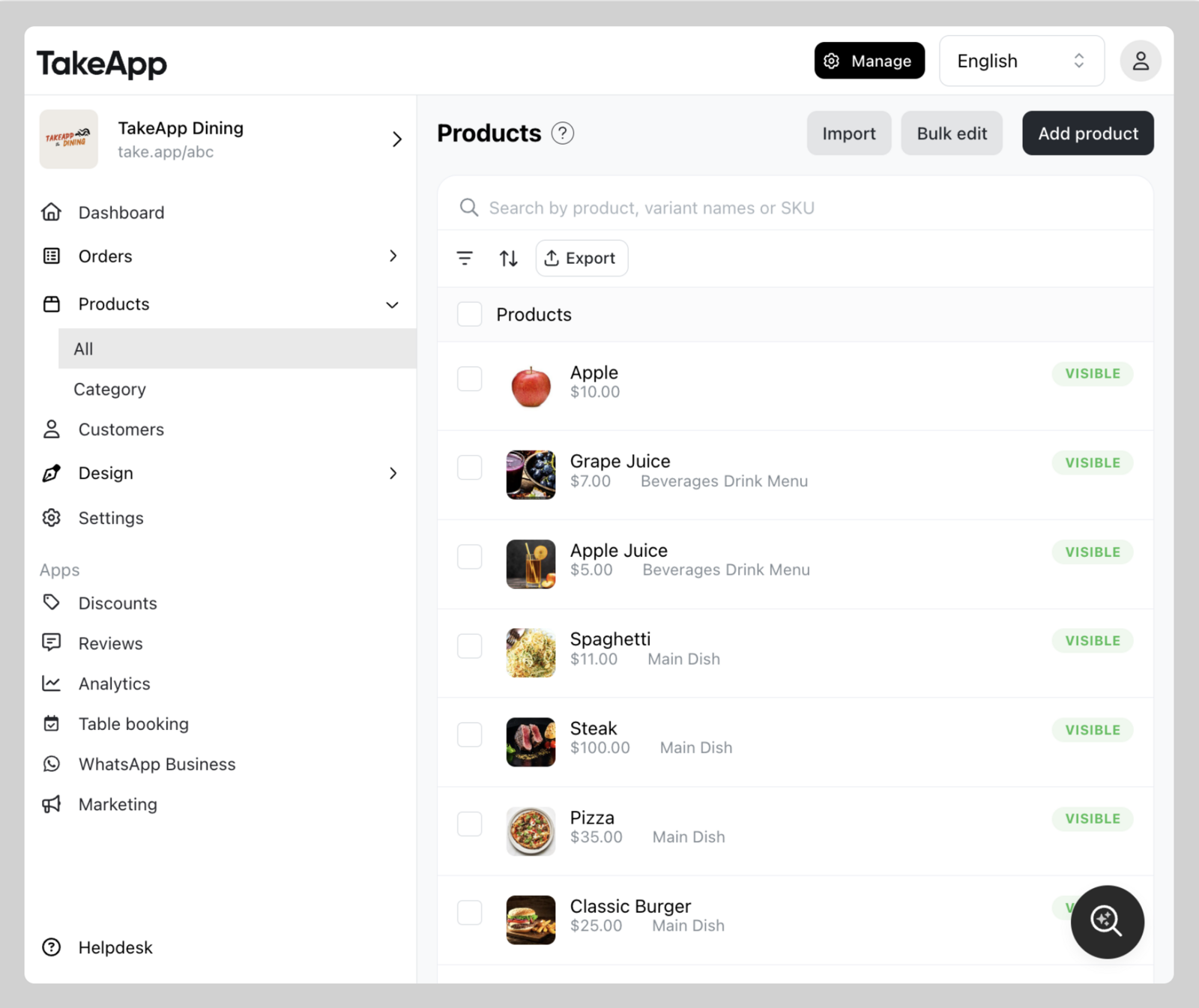
Find your product from Admin > Products and click on the specific product you wish to modify.
-
Navigate to the Inventory section and tick
Track Quantitycheckbox. Fill in the inventory amount. ClickSave.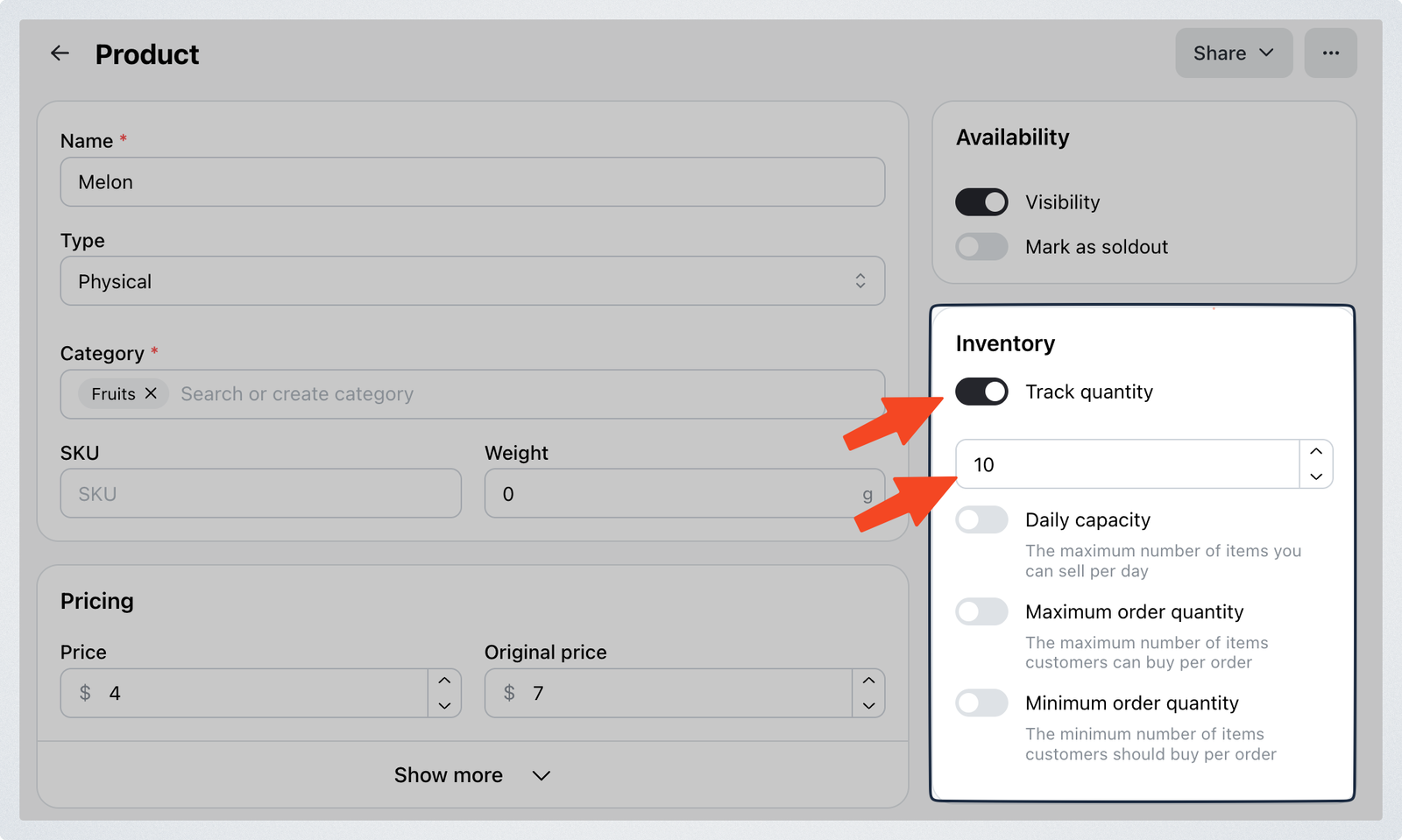
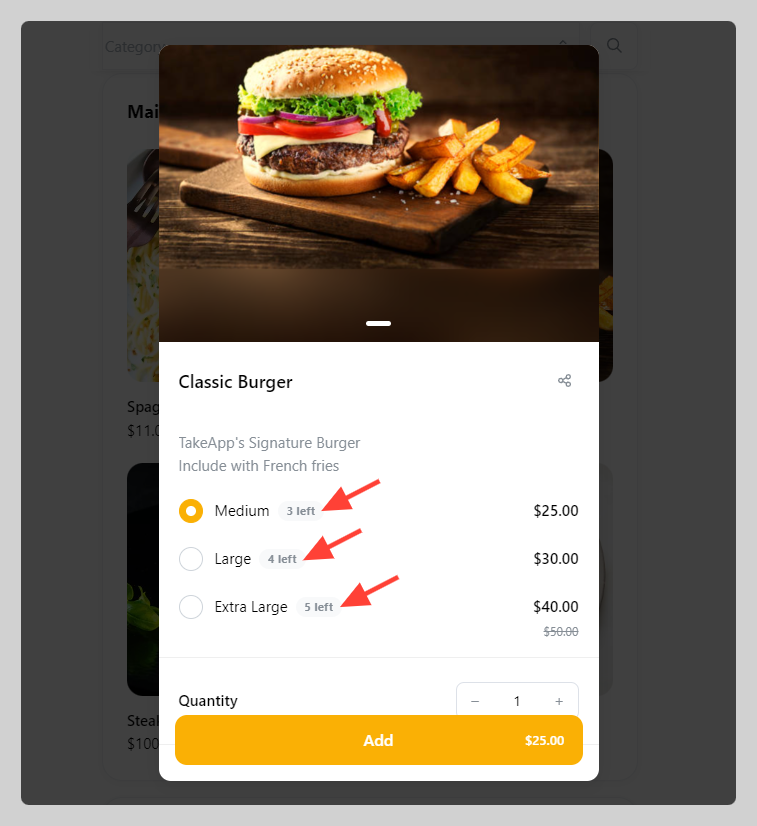
Products with an inventory of less than 5 will have its inventory count displayed.
FAQ
Q: When does the product inventory update?
A: Inventory is updated immediately after an order is created.
Q: If I cancel an order, will the inventory restock?
A: When canceling an order, the inventory will be restocked automatically
Q: Inventory will deduct when order status changes?
A: Order status change (Draft/Cancel → Pending/Confirmed/Completed) will deduct inventory
In this section
Setting up product's daily capacity
Product's minimum and maximum quantity to checkout